Best Laptop for Engineering Students Under ₹50,000 (2026 Guide)
Best Laptop for Students Under ₹50,000 (2026 Guide)
Choosing the right laptop for programming is important for students who want smooth performance, fast compilation, and long study hours without lag. You don’t need an expensive gaming laptop to learn programming, but you do need a reliable machine with a good processor, enough RAM, and decent battery life.
In this article, we list the best laptops for programming students under ₹50,000 in India, focusing on performance, durability, and value for money.
🔹 Minimum Laptop Requirements for Programming
Before buying, make sure your laptop has:
-
Processor: Intel i3 / Ryzen 3 or higher
-
RAM: Minimum 8GB (or upgradeable)
-
Storage: SSD (256GB or more)
-
OS: Windows or Linux support
🔹 1. Lenovo IdeaPad Slim 3

Key Features:
-
Intel Core i3 / AMD Ryzen 3 processor
-
8GB RAM
-
512GB SSD
-
15.6-inch Full HD display
Pros:
-
Smooth for coding and multitasking
-
Lightweight and portable
-
Reliable brand support
Cons:
-
Average speakers
🔹 2. HP 15s Laptop
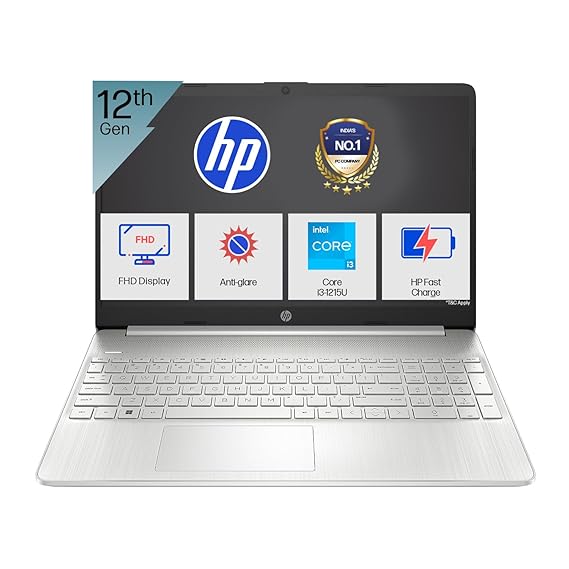
Key Features:
-
Intel Core i3 processor
-
8GB RAM
-
Fast 512 SSD storage
-
Good battery backup
Pros:
-
Comfortable keyboard for coding
-
Clean design
-
Stable performance
Cons:
-
No backlit keyboard in some models
 🔹 3. ASUS VivoBook 15
Best lightweight laptop under ₹50,000
-
AMD Ryzen 3
-
8GB RAM
-
Thin and light design
512 GB SSD
- Full HD display
Pros:Key Features:Key Features:
-
Easy to carry to college
-
Good display quality
-
Smooth Linux support
Cons:
-
Plastic build
🔹 Buying Guide: How to Choose a Laptop for C Programming
When selecting a laptop for programming:
-
Prefer SSD over HDD for faster boot and compilation
-
Choose 8GB RAM for smooth multitasking
-
Avoid Pentium or Celeron processors
-
Ensure keyboard comfort for long coding sessions
🔹 Frequently Asked Questions
Q1. Is 4GB RAM enough for programming?
Yes, but 8GB is recommended for smooth performance.
Q2. Can I use Linux for programming?
Yes, Linux is excellent for programming and works well on most laptops listed.
Q3. Do I need a graphics card?
No. Integrated graphics are sufficient for programming.
🔹 Final Recommendation
For most students, Lenovo IdeaPad Slim 3 offers the best balance of performance and price under ₹50,000. If portability matters more, go with ASUS VivoBook 15.
A good mouse also improves productivity. Check our guide on the best mouse for students in India.
Affiliate Disclaimer
This post contains affiliate links. If you purchase through them, we may earn a small commission at no extra cost to you.

Comments
Post a Comment